
FlytBase / Shipped product / FlytClip
Drone footage became a report operators could approve and share.
An outside recipient needed to understand a drone mission without opening FlytBase or assembling the story from raw files. I designed FlytClip around an evidence package that carried media, context, and reviewed findings together. The operator could edit AI drafts, approve the report, and share its evidence through a controlled link.
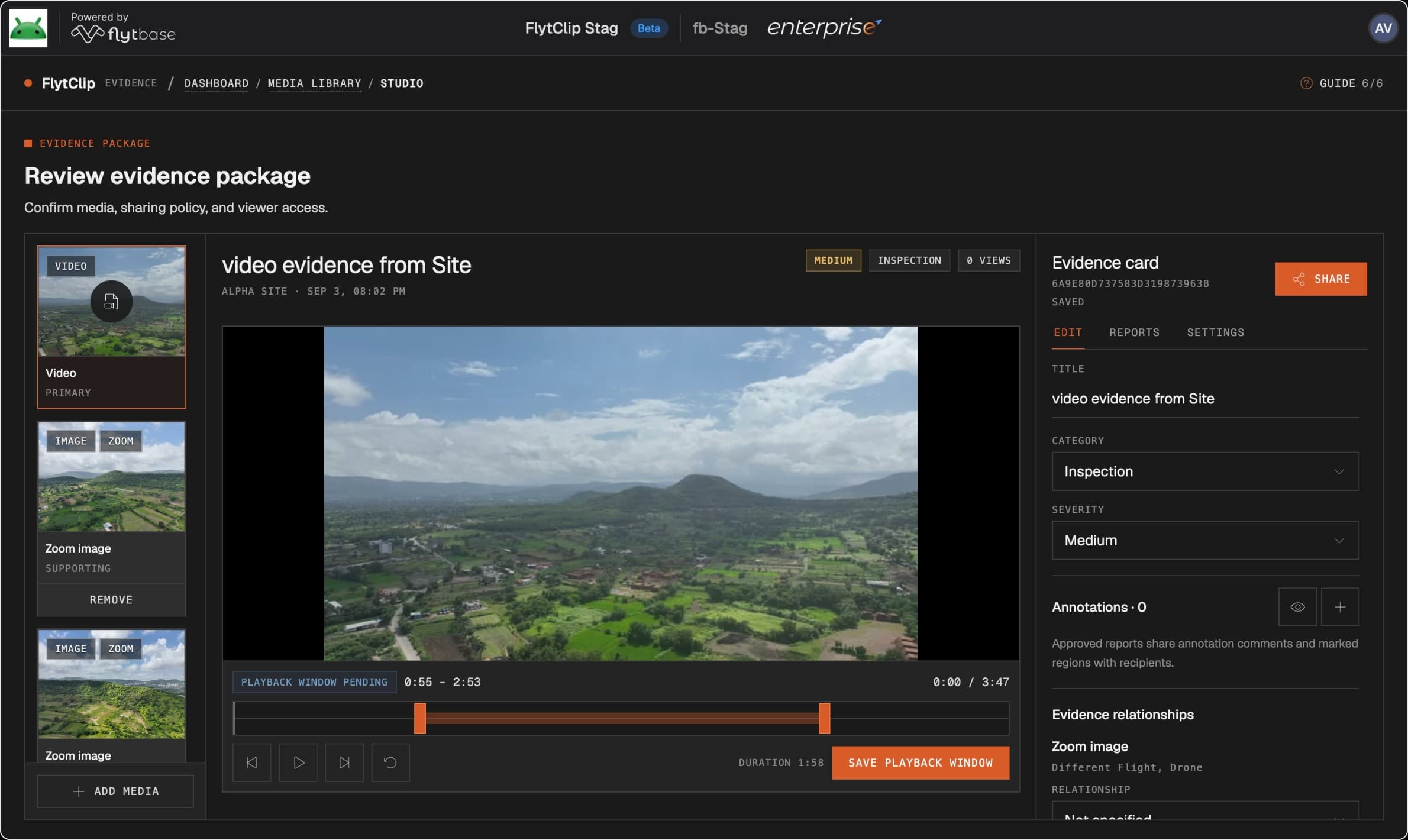
The mission ended. The handoff didn’t.
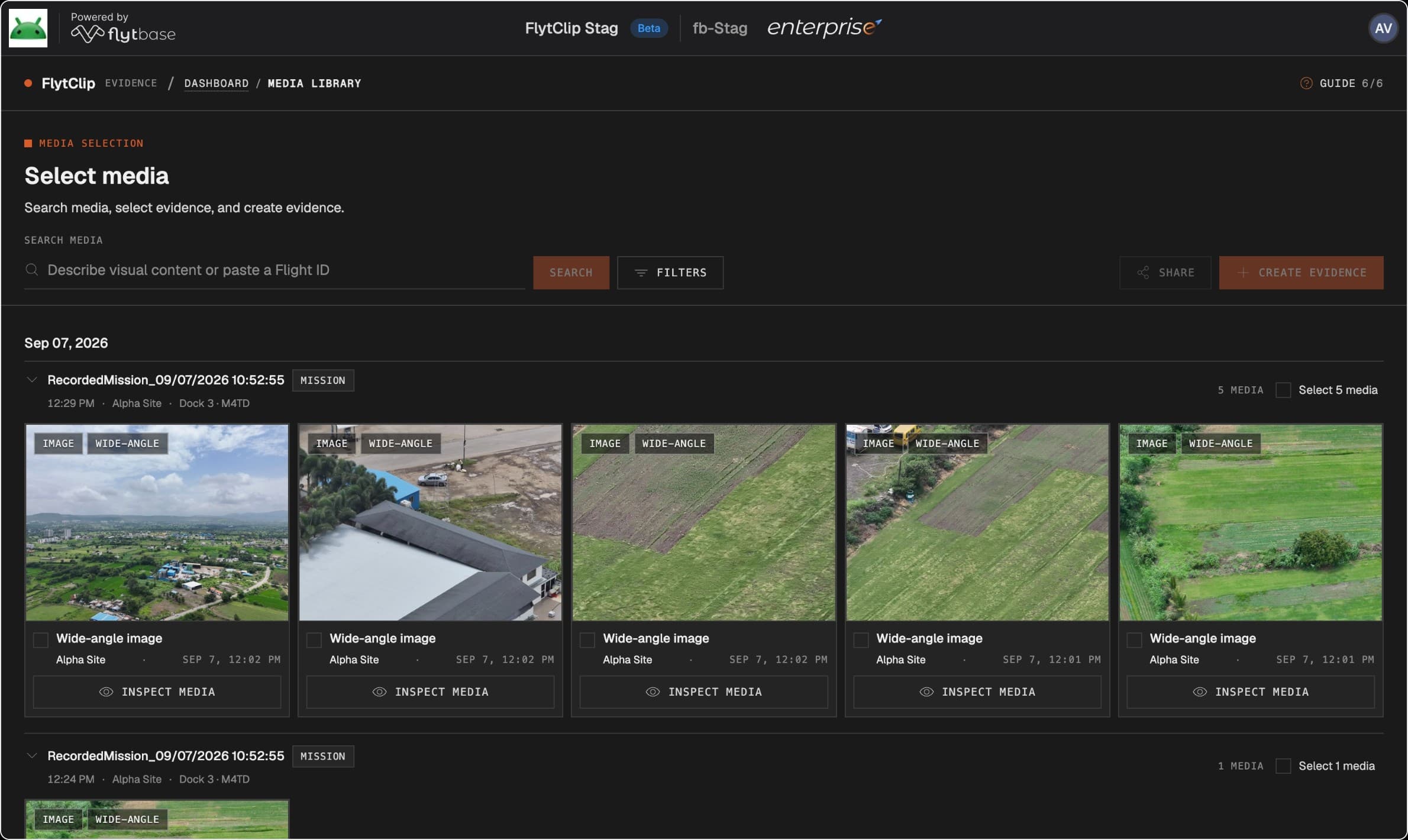
One customer’s recipient had no FlytBase access. The operator had to find media, select evidence, and assemble a long PDF before anyone outside the platform could understand the mission.
Flight logs and Reports already served record-keeping. I built the missing handoff: selected media, context, and reviewed findings in a recipient view that exposed the supporting evidence.
- 01
Find
Locate the relevant mission media.
- 02
Curate
Decide what matters and add context.
- 03
Review
Own the complete composition.
- 04
Share
Let the recipient inspect the evidence.
I prioritized the DFR handoff, where a responder may need the evidence without being a FlytBase operator.
The report had to carry the footage’s context.
A clip link left the operator explaining what the recipient was looking at. I made the shareable object an evidence package: selected media, mission context, findings, observations, and review state.
The original media stayed in FlytBase. The same package carried its context from the first working prototype through review and into the recipient’s view.
What a link left behind
The recipient gets a clip. The sender still has to explain what it shows and whether its conclusions were reviewed.
What travelled together
Media, context, and review state stay together as the operator prepares and shares the account.
The recipient needed the moment and its source.
To inspect a finding, the recipient needed the relevant part of the source. A rendered-trim path briefly existed, but it added processing, storage, and another file to manage.
The flow changed to saving a playback window against the original video. The operator sets the range in Studio; the controlled viewer presents that saved portion of the same source, without generating a separate trimmed file.
What this removed
A second video-processing and storage lifecycle. FlytClip saves the source reference and playback window rather than another rendered clip.
What it depended on
The original video must remain available, and the permitted window must be enforced reliably. The shared experience is view-only, not a downloadable clip.
Expiry and revocation close the share link. They do not delete the original Gallery video.
AI could draft. The operator approved the report.
A generated report could look complete before anyone checked it. I kept findings as candidates and let the operator edit the account while inspecting the exact report prepared for the recipient.
Inline edits shaped the findings; one approval committed the complete report. That removed repeated approval actions, but put more weight on checking every required field and evidence plate before publication.
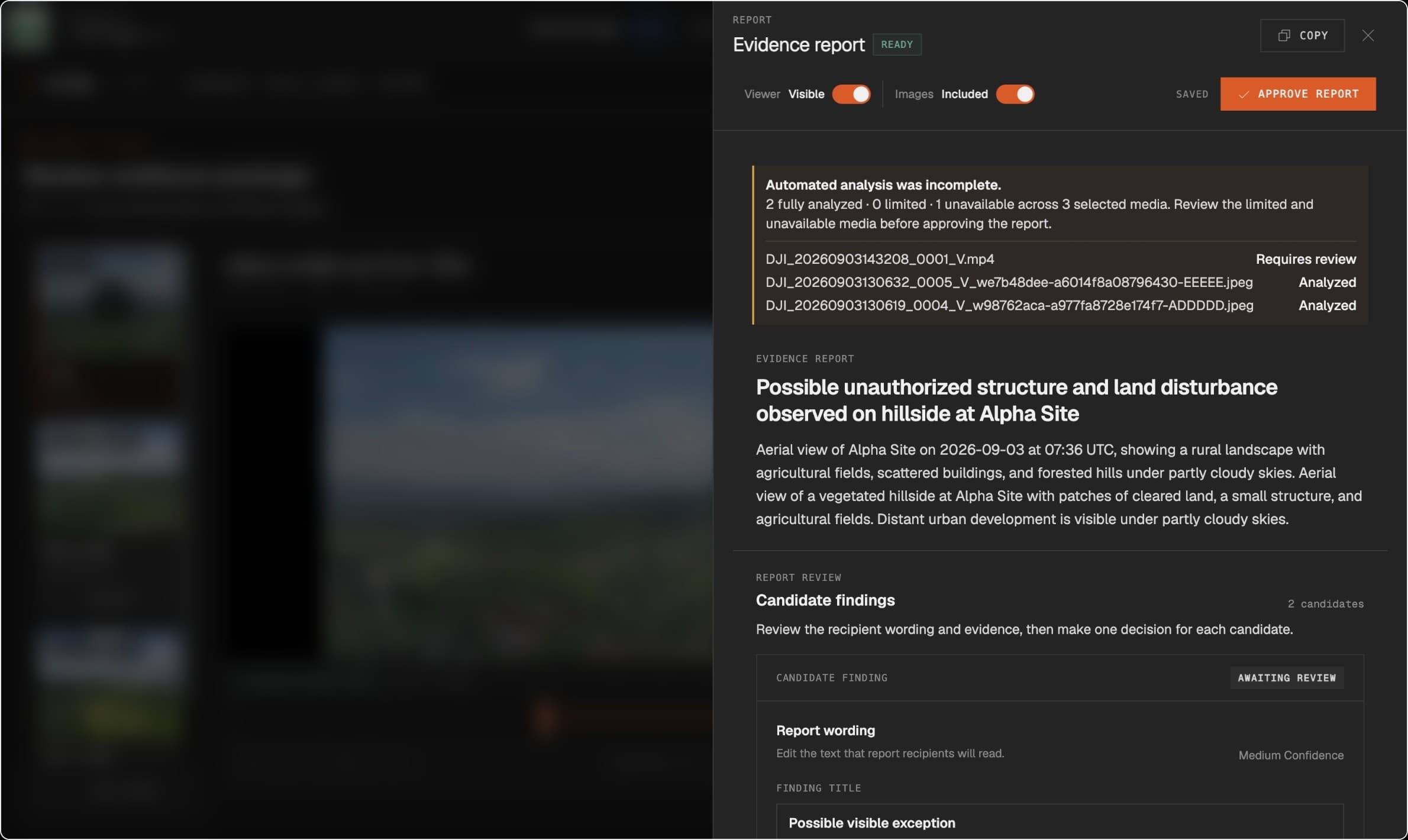
- 01
Private analysis
Candidates stay in the workspace.
- 02
Review & edit
The operator shapes the report.
- 03
Approve
One decision on the composition.
- 04
Share
Only the approved view is public.
Evidence changes → review again
Changing media or context makes earlier analysis stale. Missing references and incomplete results cannot cross the approval boundary.
Only the approved account
The public payload is explicitly allowlisted. Prompts, provider responses, rejected candidates, and diagnostics remain private.
The report had to show who made each claim.
The first rule kept a note private unless it supported an AI finding. In the running product, that meant the model could silence knowledge the operator brought from the site.
I gave approved Operator Observations their own place and linked evidence. AI Findings stayed separate, so readers could see who was making each claim.
AI Finding
A model-generated candidate, reviewed by the operator. Its source is visible.
Operator Observation
A human assertion, approved independently. Its evidence travels with it.
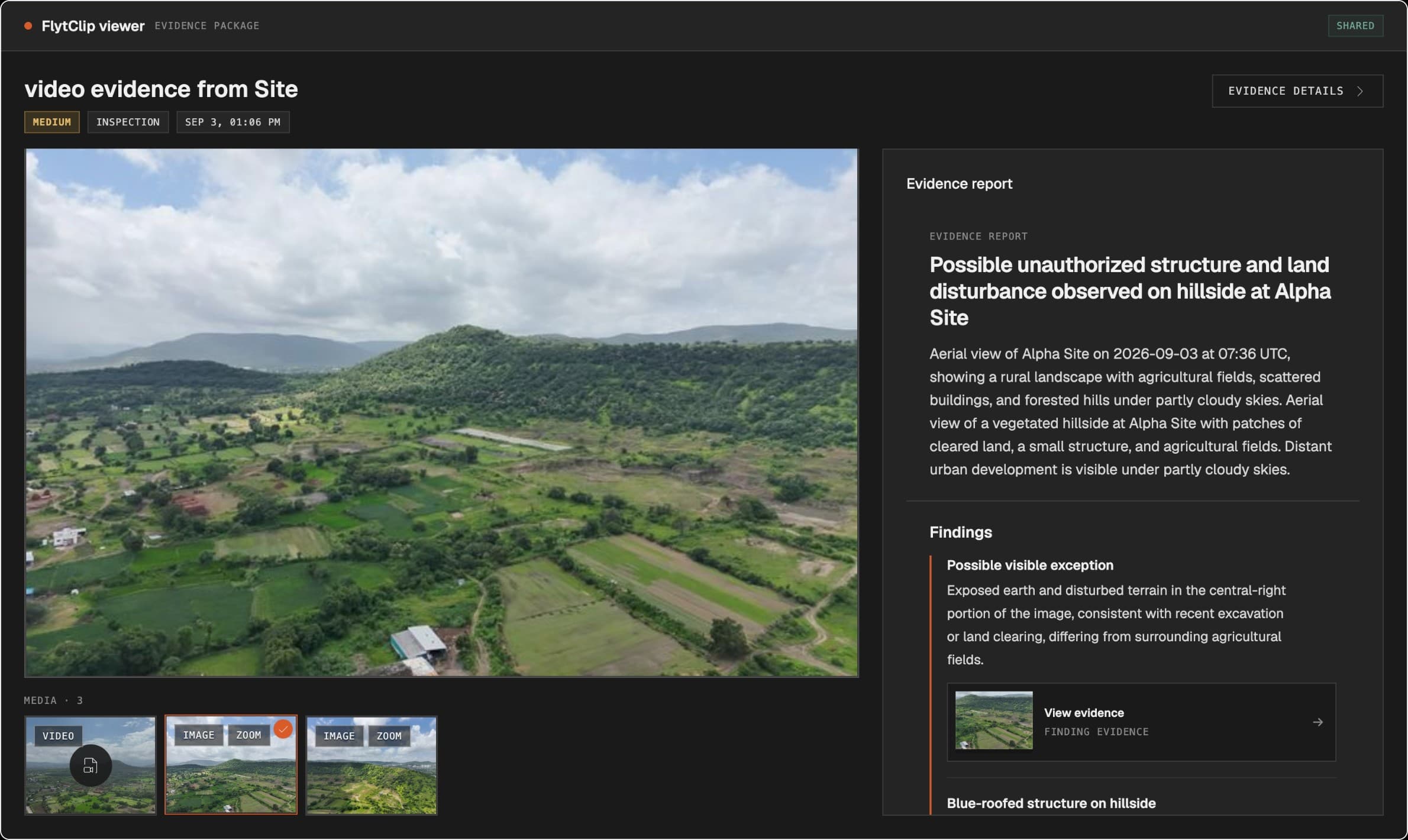
Independent observations preserved the operator’s voice, at the cost of more provenance and publication rules. Evidence Plates kept both kinds of claim inspectable; weak crops fell back to the analyzed frame.
The review rule had to survive the build.
I built on FlytBase’s shared app foundation. Agent-readable rules guided Codex through small working slices, first with mock contracts and then with real media and services.
Codex helped implement the slices; the report AI drafted findings inside FlytClip. I checked the running behavior against the evidence, review, and publication rules, then owned the tests, staging checks, and release judgment.
- 01
Frame the rule
Define meaning, private states, and scope.
- 02
Build a slice
Constrain the agent with mock contracts.
- 03
Test the meaning
Review behavior with real media.
- 04
Verify & ship
Revise UI, contracts, and checks together.
Recipients could inspect what the operator approved.
FlytClip shipped a connected path from mission footage to a recipient-facing report. Context, source evidence, and the origin of each claim stayed available for inspection; the operator approved what was shared.
I now start with what the recipient must be able to check: whose claim it is, what supports it, and what approval allows them to see.